1.ОПРЕДЕЛЕНИЯ И ТЕРМИНЫ
1.1. В целях настоящего документа нижеприведенные термины используются в следующем значении:
Оферта - настоящий документ «Оферта на оказание услуг "Изготовление статуэтки Кукла-Шарж» по фотографии", размещенный в сети Интернет.
Сайт – сайт, размещенный в сети Интернет по адресу
http://new.kukla-sharzh.ru/
Пользователь – Заказчик услуги по изготовлению Куклы-Шарж, который пользуется сайтом.
Фотографии пользователя- исходные фотографии Заказчика, по которым изготавливается статуэтка "Кукла-Шарж".
Кукла-шарж.РФ -это название бренда, которое ассоциируется с изготовлением статуэтки Куклы-шарж по фотографии
Кукла-шарж - конечное изделие(статуэтка), которое получает Заказчик. Статуэтка представляет из себя дизайнерское изделие высотой 15-20 см ( в зависимости от типа) и включает в себя: тело и каркас ландшафта, к которому при помощи пружинки(-ок) прикрепляется голова(-ы) по фотографиям Заказчика. Голова немного увеличена по сравнению с пропорциями тело/голова у реального человека и это является дизайнерской особенностью статуэтки. При эксклюзивном дизайне размер, ландшафт и исходное тело обговариваются индивидуально.
Заказчик- физическое или юридическое лицо, которое на возмездной основе получает статуэтку Кукла-шарж, предоставив фотографии.
Менеджер - представитель Кукла-шарж.РФ, который занимается ведением заказа и связью с заказчиком.
Мастер - представитель Кукла-шарж.РФ, профессиональный художник-скульптор, который занимается изготовлением формы тела и головы, запеканием в печи и покраской куклы-шарж.
Личный кабинет – кабинет пользователя на сайте
http://new.kukla-sharzh.ru/, где размещены заказы пользователя. Он автоматически создается на e-mail пользователя при оформлении заказа или при регистрации на сайте.
2.ПРЕДМЕТ ДОГОВОРА
2.1. Предметом Договора является возмездное оказание
Кукла-шарж.РФ Заказчику услуги по изготовлению статуэтки кукла-шарж на условиях Оферты.
3.ПОСЛЕДОВАТЕЛЬНОСТЬ ОКАЗАНИЯ УСЛУГИ
3.1 После оформления заказа менеджер связывается с Заказчиком для подтверждения заказа и выяснения подробностей. Основные вопросы касаются качества и количества исходных фотографий, выбора основной фотографии, уточнение крайнего срока изготовления, консультации по дополнительным опциям, оплате и доставке.
3.2 После получения 50 % предоплаты заказ передается мастеру на выполнение.
3.3 После выполнения мастером формы головы и тела, пользователю через личный кабинет скидываются предварительные фотографии головы для одобрения или внесения корректировок в случае необходимости. Пользователь уведомляется об этом посредством e-mail. и смс уведомления. Пользователю предоставляется 1 бесплатная корректировка на заказ. Для внесения корректировки или общения с мастером нужно в личном кабинете в заказе написать сообщение.
3.4 После утверждения одобрения заказа, статуэтка запекается и после этого изменения по форме вносить нельзя. После запекания кукла-шарж раскрашивается и отправляется Заказчику или забирается им самостоятельно в случае самовывоза.
3.5 Последовательность оказания услуги не является точной инструкцией и носит информативный характер.
4.УСЛОВИЯ ОКАЗАНИЯ УСЛУГ И СРОКИ
4.1. Обязательным условием оказания
Кукла-шарж.РФ услуг является оформление заказа на сайте и предоставление пользователем исходных фотографий. В случае невозможности или возникновения сложности с оформлением заказа на сайте, можно оформить заказ по телефону, e-mail или любым другим удобным способом. При этом менеджер компании самостоятельно оформит заказ на сайте и зарегистрирует личный кабинет.
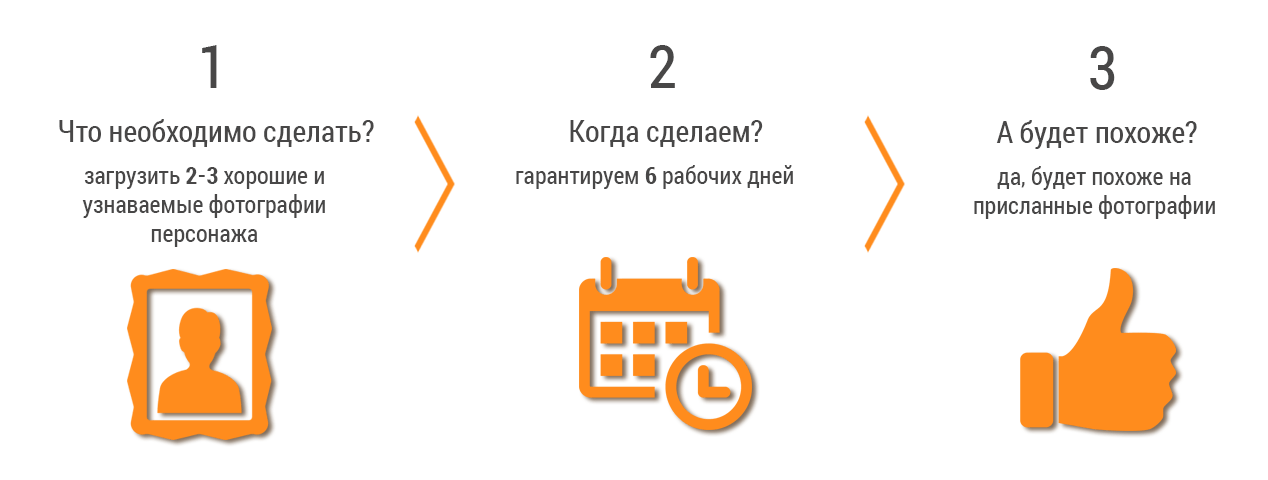
4.2 Для качественного изготовления необходимо предоставить фотографии хорошего качества в анфас, профиль и, желательно, 45 градусов к лицу. После оформления заказа, менеджером совместно с Заказчиком. Для изготовления выбирается основная фотография. Минимум нужна 1 фотография в анфас(спереди). При отсутствии фотографий в профиль, мастер делает профиль на свое усмотрение, претензии по сходству в профиль при этом не принимаются.
4.3 Стандартный срок изготовления составляет от 6 рабочих дней, но не позднее оговоренного с Заказчиком срока. В случае доплаты за срочность возможно ускоренное изготовление до 2-х дней. Стоимость доплаты указывается на сайте при оформлении заказа.
4.4 Услуги оказываются только после внесения 50% предоплаты. При этом, датой начала изготовления будет считаться дата внесения предоплаты или следующий рабочий день, если оплата пришла после 15:00 по Московскому времени. Если разница между датой оплаты и датой изготовления составляет менее 6 рабочих дней, то с Заказчика берется доплата за срочность согласно тарифам на сайте.
4.5 Услуги по изготовлению выполняются согласно очередности заказов, более срочные заказы выполняются в первую очередь, но не позднее оговоренного срока.
5.ПРАВА И ОБЯЗАТЕЛЬСТВА КУКЛА-ШАРЖ
Кукла-шарж.РФ обязуется:
5.1 Оказать Заказчику услуги по изготовлению статуэтки «Кукла-шарж» в соответствии с Договором, заключенным на условиях Оферты.
5.2 При оказании Услуг по Договору обеспечить возможность доступа к личному кабинету пользователя.
5.3 Обеспечить конфиденциальность изготовления по просьбе заказчика, уведомив об этом Кукла-Шарж.РФ письмом на электронную почту. При отсутствии такой просьбы, Кукла-Шарж.РФ вправе использовать фотографии готовых работ в рекламных целях.
Кукла-шарж.РФ имеет право:
5.4 Временно приостановить оказание Заказчику предоставление услуги при долгом отсутствии связи с Заказчиком для одобрения предварительной работы.
5.5 Приостановить оказание Услуг по Договору и/или досрочно расторгнуть Договор в одностороннем внесудебном порядке путем уведомления Заказчика в случаях нарушения Заказчиком обязательств, принятых в соответствии с Договором.
5.6 Отказаться от выполнения заказа при невозможности его выполнения в оговоренный срок или при отказе Заказчика от внесения предоплаты. Заказчик при этом уведомляется, предоплата(если она была) возвращается Заказчику в полном размере.
6. СТОИМОСТЬ УСЛУГ И УСЛОВИЯ ОПЛАТЫ
6.1 Стоимость Услуг, оказанных Кукла-шарж.РФ по Договору, определяется в соответствии с данными на сайте.
6.2 Стоимость дополнительных опций, таких как добавление элементов дизайна, текста, строения тела, украшение стразами, изменение цветов, украшения и т.д. идет сверху основной цены, указанной на сайте. Стоимость небольших доработок указана на сайте. Кукла-Шарж.РФ вправе изменить стоимость доп. опций, если они представляют собой сложное дизайнерское решение, уведомив об этом Заказчика.
6.3 Стоимость подарочной упаковки и доставки идет сверху основной цены. Стоимость упаковки указана на сайте. Стоимость доставки по Москве указана на сайте при оформлении заказа, по другим городам она пересчитывается менеджером, Стоимость доставки в Крупные города указана на сайте. Возможна ускоренная доставка, стоимость доплаты при этом берет на себя Заказчик.
6.4 Стоимость ускоренного изготовления(менее 6 рабочих дней) идет сверху основной цены. Она автоматически считается при оформлении заказа. Если день оплаты не совпадает с днем заказа, то после внесения предоплаты.
6.5 Услуги оказываются Заказчику на условиях частичной предварительной оплаты Услуг. Заказчик производит авансовый платеж в размере 50% (пятидесяти процентов) от общей стоимости заказываемых Услуг на основании заказа. Внесение предоплаты является подтверждением условий оферты Заказчиком.
6.6 Заказчик может внести оплату любым удобным для него способом, указанным на сайте.
6.7 Вторая часть оплаты производится после подтверждения Заказчиком макета предварительной или окончательной работы статуэтки кукла-шарж и перед отправкой заказа курьерской компанией или почтой. После получения 2-ой части оплаты Кукла-Шарж.РФ отправляет заказ Заказчику. При получении заказа в г. Москва возможна оплата наличными второй части курьеру при получении заказа.
6.8 В случае начала работы над кукла-шарж и отказа Заказчика от услуг по изготовлению куклы-шарж, предоплата не возвращается. Если работы по изготовлению не проводились, то Кукла-Шарж.РФ может вернуть стоимость предоплаты в полном объеме Заказчику.
6.9 Услуги считаются оказанными Кукла-Шарж.РФ надлежащим качеством, если Заказчик одобрил фотографии сделанной работы куклы-шарж.
6.10 Услуги считаются оказанными Кукла-Шарж.РФ надлежащем образом и принятыми Заказчиком в полном объеме, если в течение пятнадцати дней после получения заказа Кукла-Шарж.РФ не получил от Заказчика мотивированных письменных возражений.
По истечении срока, указанного выше, претензии Заказчика относительно недостатков Услуг, стоимости и качеству не принимаются.
7. СРОК ДЕЙСТВИЯ И ИЗМЕНЕНИЕ УСЛОВИЙ ОФЕРТЫ
7.1. Оферта вступает в силу с момента оформления заказа и до получения Заказчиком статуэтки кукла-шарж+15дней.
7.2. Кукла-Шарж оставляет за собой право внести изменения в условия Оферты и/или отозвать Оферту в любой момент по своему усмотрению. В случае внесения Кукла-шарж.РФ изменений в Оферту, такие изменения вступают в силу с момента размещения измененного варианта.
8. РАСТОРЖЕНИЕ ДОГОВОРА
8.1 Договор может быть расторгнут:
8.1.1 По соглашению Сторон в любое время.
8.1.2 По инициативе любой из Сторон в случае нарушения другой Стороной условий Договора с письменным уведомлением другой Стороны.
8.1.3 По иным основаниям, предусмотренным настоящей Офертой.
9. ГАРАНТИИ
9.1. В течение срока действия Договора Кукла-Шарж.РФ предпримет все усилия для качественного и своевременного выполнения и доставки заказа, устранения каких-либо сбоев и ошибок на сайте, в случае их возникновения, в максимально короткие сроки. При этом Кукла-Шарж.РФ не гарантирует отсутствия ошибок и сбоев при оформлении заказа, в том числе в отношении работы программного обеспечения.
9.2. Кукла-Шарж.РФ не отвечает за невыполнения сроков доставки курьерской компанией и берет на себя обязательства лишь по изготовлению куклы-шарж и передаче статуэтки в курьерскую компанию. Кукла-Шарж.РФ оправляет заказ заранее до даты получения и по указанным в курьерской компании средним, а чаще максимальным срокам. Сроки доставки озвучиваются менеджером после оформления заказа.
9.3 Кукла-Шарж.РФ всегда как можно лучше упаковывает товар для защиты его от возможных повреждений во время доставки. Претензии по возможному физическому повреждению упаковки и изделия необходимо направлять в курьерскую компанию, Кукла-Шарж.РФ такие претензии не принимает.
10. ОТВЕТСТВЕННОСТЬ И ОГРАНИЧЕНИЕ ОТВЕТСТВЕННОСТИ
10.1 За нарушение условий Договора Стороны несут ответственность, установленную Договором и/или действующим законодательством РФ.
10.2 Кукла-Шарж.РФ берет на себя исполнение обязательств, указанных в договоре, но не тех которые в нем не прописаны
10.3 Все спорные моменты решаются с представителем Кукла-Шарж.РФ, а в случае невозможности их разрешения согласно законодательству РФ в суде.
Реквизиты:
ИП Данилов Анатолий Николаевич
ИНН 165120889293
ОГРН 313165114300026
Москва, Красноказарменный проезд, д. 14а, стр.3 офис 39
Номер телефона:
+7 (499) 704-20-95